
You're mid-treatment when the phone rings. Reception is helping someone at the desk, a new patient wants an appointment, and a cancellation is sitting in voicemail while the diary still shows the slot as occupied. You don't need a more impressive phone greeting. You need those requests handled correctly without pulling a practitioner out of the room.
An automated phone answering system should solve that administrative problem. Judge it by what happens in your practice software, what information it collects and how easily callers can reach a person, not by how convincingly it makes small talk.
Table of Contents
- What an Automated Phone Answering System Actually Does
- How the Technology Handles a Live Call
- IVR, AI Voice and Hybrid Routing Compared
- Why Booking Integrity Matters More Than Conversation Quality
- Privacy, Identity and Call Records in the Australian Context
- After-Hours Coverage Without Pretending to Triage
- A Clinic-Ready Rollout Checklist
What an Automated Phone Answering System Actually Does
Consider a sole physiotherapist with no receptionist during treatment blocks. A caller wants to move an appointment, but the practitioner can't stop to answer. The useful outcome isn't that someone picks up. It's that the request reaches the right workflow without leaving an ambiguous message for later.
An automated phone answering system is a configurable voice layer between your telephone number and your reception processes. It answers, identifies the caller's administrative request and either completes an authorised task or routes it to staff. Its scope should be explicit before you connect it to a live diary.
Start with the administrative job
Different requests need different outcomes:
- New appointment: Find a suitable appointment type, practitioner and location, then follow the booking workflow.
- Cancellation: Apply the clinic's identity and cancellation rules before changing the diary.
- Routine enquiry: Answer from approved information about parking, fees, opening hours or what to bring.
- Unresolved request: Create a clearly assigned callback task or transfer to the configured human contact.
The diagram shows the distinction between answering a call and completing useful reception work.
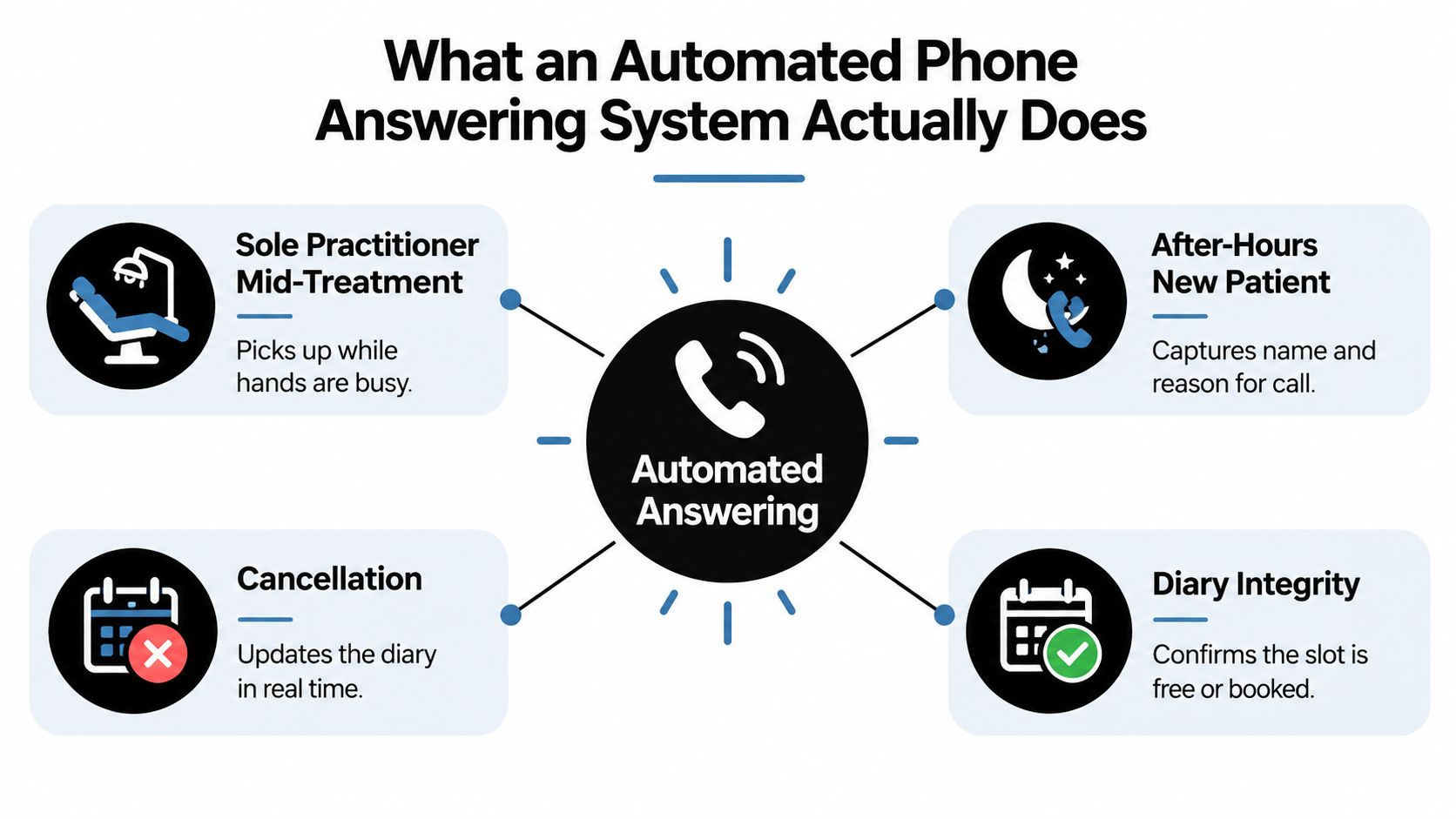
For an after-hours new patient, capturing a name isn't equivalent to securing an appointment. For a cancellation, producing a transcript isn't equivalent to updating the diary. Decide which outcome you need, then check whether the proposed system delivers it.
Measure your problem before buying coverage
Don't build the business case around a supposed Australian missed-call average. Neither the Australian Bureau of Statistics nor the Australian Communications and Media Authority publishes a nationwide business missed-call rate, as explained in this review of Australian missed-call statistics.
Instead, examine your own call outcomes: live answers, abandoned calls, messages, booking requests and enquiries outside staffed hours. Separate calls that need reception administration from those that need professional judgement.
Practical rule: Buy coverage for identifiable reception tasks, not a promise that the software can handle whatever anyone says.
The system's remit should remain administrative. A caller mentioning pain doesn't turn a booking assistant into a clinician.
How the Technology Handles a Live Call
Think of a traditional telephone menu as a corridor with labelled doors. The caller chooses a door by pressing a button. An AI-driven interface lets them describe what they need, then attempts to place that request into an approved workflow.
The conversational opening is only the front end. Behind it, you need speech processing, request classification, access controls and software actions that behave predictably.
Follow the request through the system
Suppose an existing patient calls to arrange another appointment with their usual practitioner. A sensible call flow looks like this:
- Greeting and disclosure: Identify the clinic, explain the automated service and provide the applicable recording notice before capture.
- Speech recognition: Convert the caller's spoken request into text. If a name or detail is unclear, ask for clarification rather than choosing an interpretation without confirmation.
- Intent recognition: Determine whether the caller wants a booking, a change, an answer or a person. Ambiguity should trigger a question, not an irreversible action.
- Authorised lookup: Complete the required identity process and consult the connected practice system for relevant appointment options.
- Action and response: Run the permitted workflow, report its actual outcome and leave an appropriate written summary.
This flow illustrates how speech becomes a structured administrative request.
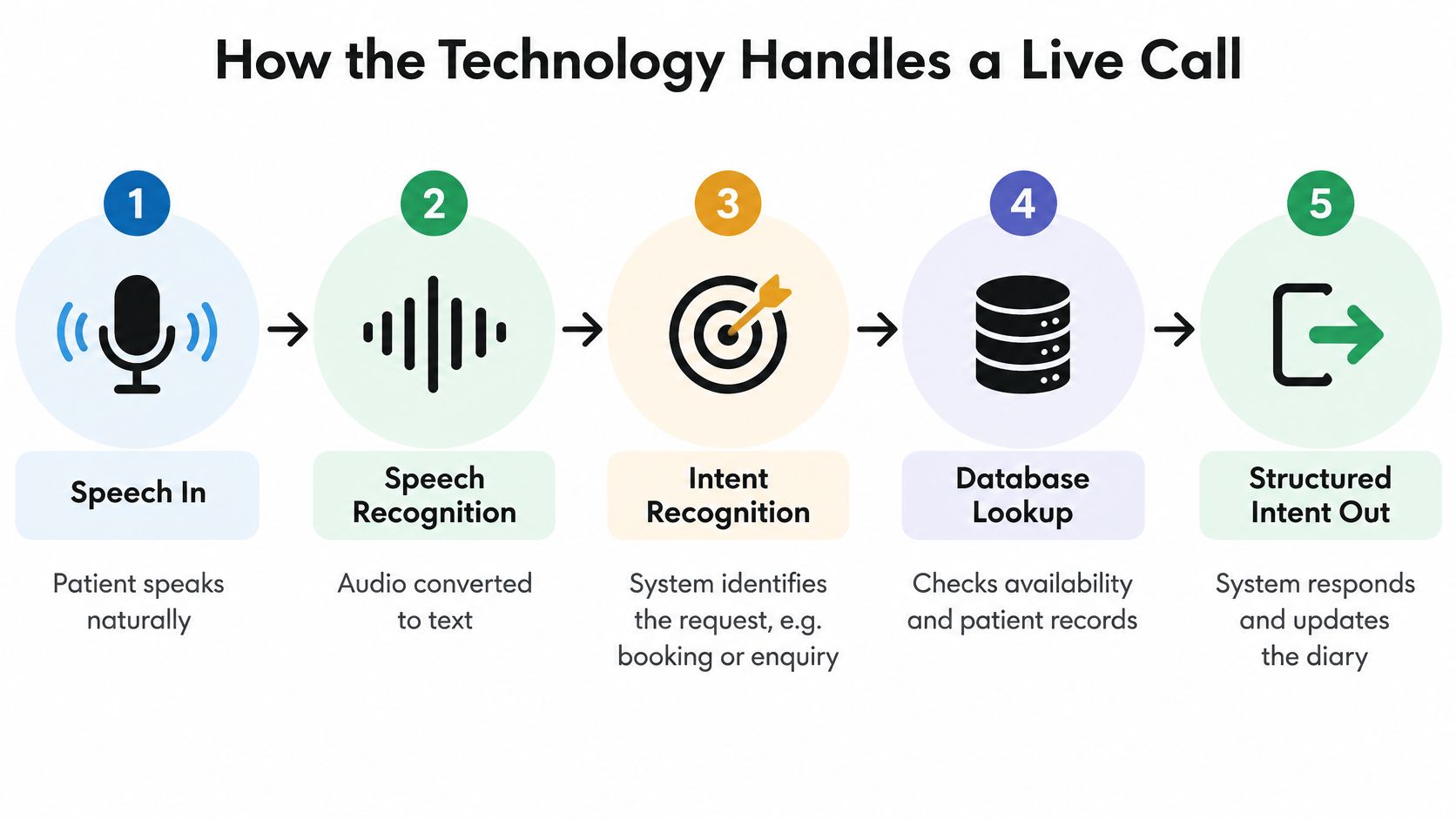
The important distinction is between understanding a request and having authority to carry it out. Recognising that someone wants to reschedule doesn't establish who they are, whether the cancellation policy applies or whether their requested appointment is available.
Keep conversation separate from permissions
Configure the voice assistant to ask only for information the workflow needs. For a routine booking, that might include appointment type, preferred practitioner, location and scheduling preferences. It shouldn't invite a detailed clinical history just because it can sustain a conversation.
Review reception capabilities and call-handling features against that complete journey. Ask the provider to demonstrate the awkward moments too: a corrected surname, a caller changing their mind, an unavailable practitioner and an unsuccessful transfer.
Industry coverage of an Australian customer-experience report states that 82% of consumers expect phone support within approximately two to three minutes, but this isn't an allied-health-specific benchmark (Australian customer-service findings). Fast answering is useful. Correct resolution is the harder requirement.
IVR, AI Voice and Hybrid Routing Compared
Choose the routing pattern before choosing the voice. A clinic that needs a simple destination menu has a different problem from a solo practitioner who needs appointments handled during treatment. Don't pay for conversational complexity unless it removes work you have.
My default recommendation for a small allied-health clinic is hybrid routing: automate well-defined administrative requests and preserve a straightforward route to staff. That's a recommendation about operating boundaries, not a claim that every clinic needs AI.
Routing patterns at a glance
| Pattern | Caller experience | Best fit | Main risk |
|---|---|---|---|
| Traditional IVR | Selects from a spoken menu using the keypad | Clear destinations and limited self-service requirements | Caller chooses the wrong branch or reaches another unanswered queue |
| AI voice | Describes the request in ordinary language | Routine requests that require clarification and connected administrative actions | Assistant misinterprets the request or exceeds its authorised scope |
| Hybrid routing | Uses automation where appropriate, with a defined human route | Clinics balancing treatment-time coverage with staff oversight | Handoff exists in the configuration but fails in practice |
An IVR can be the sensible choice if the requirement is directing callers to reception, accounts or a location. Keep the menu short and make the destinations accurate. Adding an AI voice won't fix a destination that nobody monitors.
AI voice becomes more relevant when the caller needs to express preferences or clarify an administrative request. However, flexibility creates more situations to test. A conversational assistant needs explicit rules about what it may say, read and change.
Compare operating effort, not the advertised subscription
For cost assessment, request a complete quote covering call handling, transfers, integration work, configuration changes and support. Ask how billing behaves when the assistant transfers a call or spends longer clarifying a request. Don't compare a basic routing subscription with a connected booking service as though they deliver the same work.
Setup effort deserves the same scrutiny. An IVR needs accurate routing and maintained messages; an AI workflow also needs approved knowledge, permissions and exception handling. Hybrid routing adds a practical question: who owns the caller once automation stops?
- For a solo practitioner: Prioritise useful completion during treatment and a manageable callback queue.
- For a staffed clinic: Consider overflow coverage before replacing the desk's existing call flow.
- For a multi-location group: Test location selection and destination ownership before expanding access.
Generalist call-centre tools aren't automatically unsuitable. Reject them, however, if the demonstration centres on lead capture while your staff must manually reconstruct every appointment request afterwards.
Why Booking Integrity Matters More Than Conversation Quality
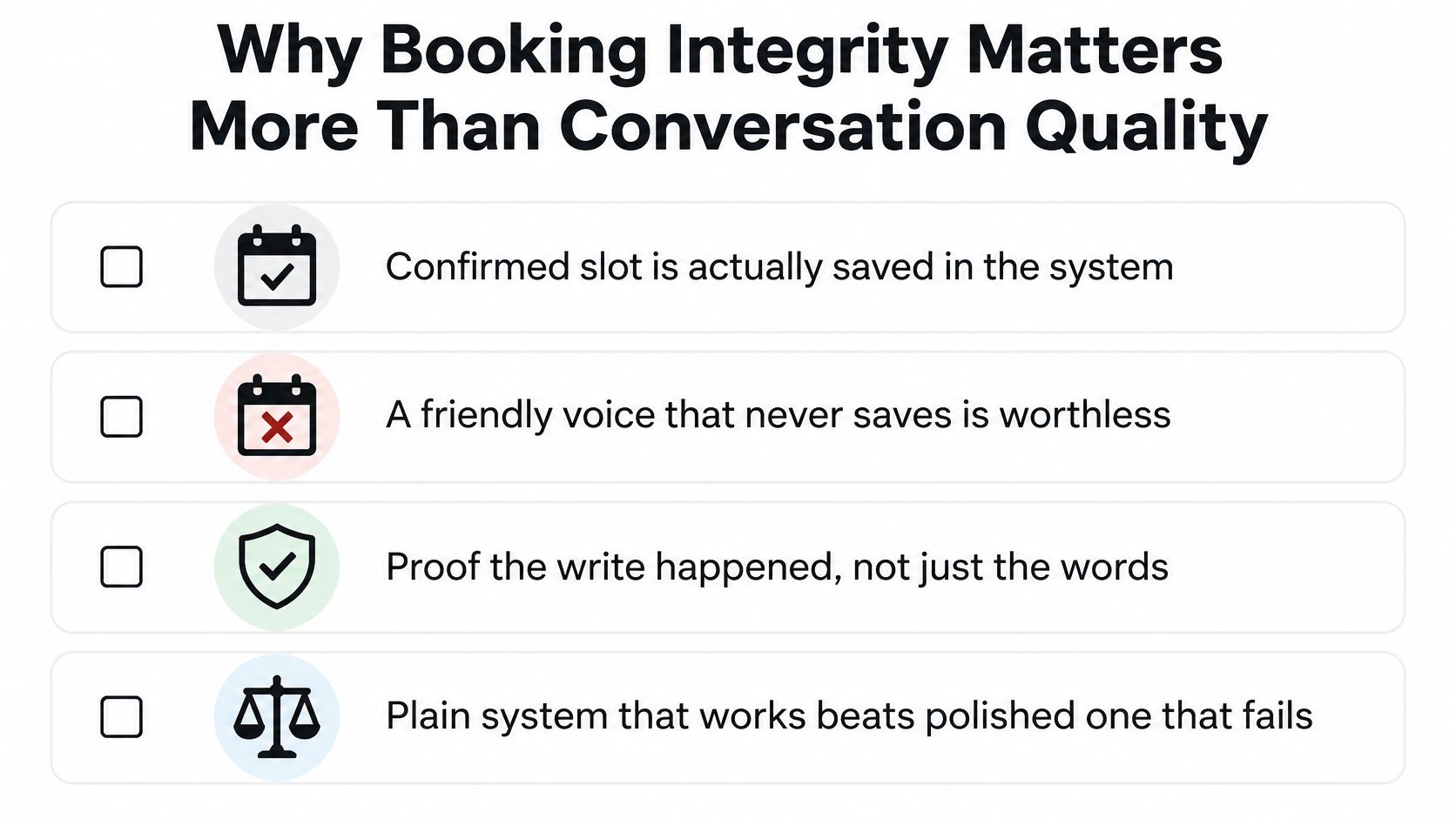
A warm, natural voice can still give a patient the wrong answer. The deciding quality test is whether the appointment exists in the practice system when the assistant says it does. A pleasant conversation can't compensate for a booking that was never saved.
Use this checklist when evaluating the booking outcome.
An available slot isn't a saved appointment
Consider a hypothetical multi-practitioner clinic. The assistant finds a free slot and offers it to a caller. While the caller considers it, reception books that slot for someone at the desk.
The original lookup was accurate. It's now stale. This is a time-of-check/time-of-use race, and a conversational promise doesn't resolve it.
Demand a transaction-style sequence: authenticate the caller, query live availability, present the option and obtain explicit acceptance. Then re-check immediately before saving, submit the booking and verify the returned appointment identifier, exact time, practitioner and location before confirming success.
The booking operation should also be idempotent. In plain English, a retry after a connection problem mustn't create another appointment for the same request. A pre-save re-check helps, but it doesn't replace a successful, verified write.
A booking confirmation is a statement about a saved record, not a prediction about what the software will probably do.
Make failure part of the demonstration
Ask the provider to simulate an occupied slot, an integration timeout and an uncertain save response. If the assistant can't verify the outcome, it must explain that the appointment hasn't been confirmed and create a human follow-up task. It mustn't reassure the caller merely to finish smoothly.
For a Cliniko practice, assess the Cliniko receptionist integration through this failure test, not just an uncomplicated booking demonstration.
The following video can accompany the review, but your acceptance decision should rest on the saved record and failure behaviour.
Require an audit trail connecting the call, requested slot, availability result, write response, final appointment identifier and caller-facing outcome. Monitor false confirmations, failed writes, duplicates and escalations separately so staff can identify what needs correction.
Keep these operational logs within the broader transparency expectations described in the OAIC's Guide to Health Privacy. Technical traceability doesn't remove your responsibility to explain how patient information is handled.
Privacy, Identity and Call Records in the Australian Context
Treat the telephone workflow as health-information handling, not merely a voice feature. Even an administrative appointment request can connect a person's identity with a practitioner or service. Configure access and collection accordingly.
The OAIC's guidance on collecting health information says callers must be informed at the beginning of a recorded telephone consultation and given an opportunity to end the call or decline recording. Your provider should explain how the proposed configuration addresses applicable Commonwealth and state or territory requirements.
Turn privacy promises into settings
Put the recording announcement before speech capture and record the consent or decline outcome. Establish what happens if someone declines: an alternative contact process, a transfer or another clinic-approved path. Don't offer a choice that the workflow ignores.
These are the controls to inspect before connecting patient records.
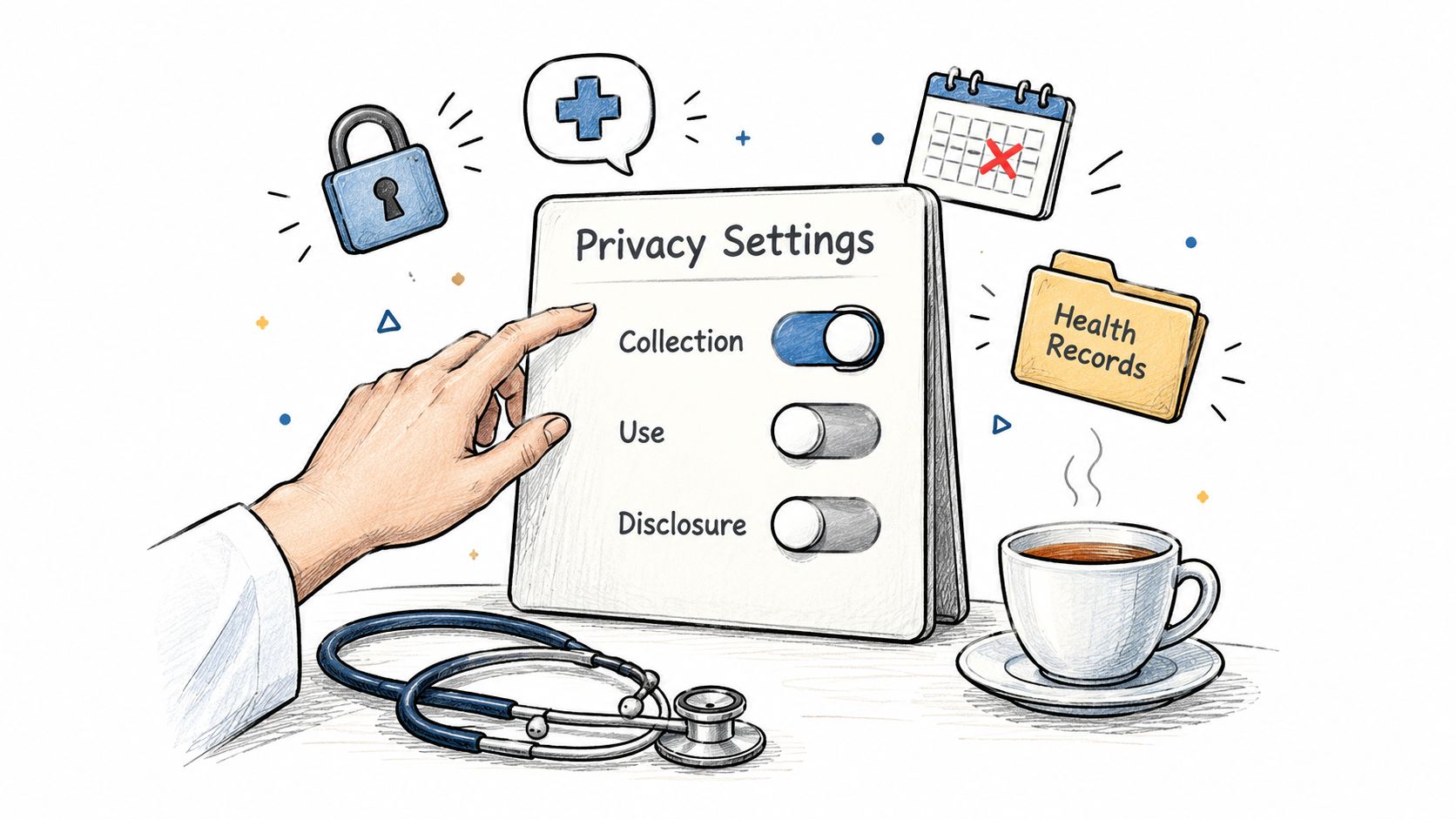
- Collection limits: Restrict questions to the administrative purpose. Avoid collecting clinical details that staff don't need to fulfil the request.
- Clinic separation: Require clear separation of call logs and patient information between clinics.
- Staff permissions: Give staff access according to their role, rather than making every recording and summary visible to everyone.
- Retention and deletion: Set documented retention windows and a deletion process, including how requests are assessed against applicable obligations.
- Storage protection: Require encrypted storage and an explanation of who can access stored information.
A written privacy policy is a starting point for review, not proof that your clinic's configuration is appropriate. Ask to see the controls that put the policy into practice.
Verify identity before changing information
Approve an identity process before allowing appointment changes or disclosures. Don't let the assistant reveal the existing booking while it's still establishing who is calling. Decide how staff will handle representatives, incomplete answers and callers who can't complete the automated check.
Ask the provider practical questions: Who can retrieve recordings? Can support staff access patient content? What happens to information after termination? Can the clinic inspect access records and action outcomes?
These questions deserve direct answers. If the provider can demonstrate a voice but can't explain data handling, stop the deployment until they can.
After-Hours Coverage Without Pretending to Triage
After-hours answering is an access service, not a clinical service. A patient should be able to request an appointment or cancel tomorrow's visit without waiting for reception to open. That doesn't mean an automated receptionist should assess their symptoms.
The distinction matters because demand outside staffed hours is real. Industry coverage reports that the national healthdirect helpline received about 1.4 million calls in FY2025, with roughly 65–66% arriving after hours (Australian after-hours demand context). Those figures describe a health advice service, not the expected call distribution at your physiotherapy or podiatry clinic.
Handle concern without making a clinical judgement
Consider a caller who says they're worried about worsening symptoms and wants the next available appointment. The assistant should acknowledge the request without deciding whether the condition is serious or whether waiting is safe. It should use the clinic's approved escalation wording and offer the permitted human contact path.
Where the caller describes an emergency or asks for urgent clinical help, use approved instructions directing them to appropriate Australian emergency services. Don't have the assistant improvise treatment advice, interpret symptoms or promise that a clinician will review the message promptly unless that coverage exists.
Boundary to publish: Around-the-clock administrative access does not mean around-the-clock clinical supervision.
A callback task also needs honest wording. If staff won't review it until reception reopens, say so. Avoid language that makes an unmonitored queue sound like an on-call service.
Specify what happens when nobody is available
An after-hours workflow should distinguish between the following outcomes:
- Administrative completion: An approved request can be resolved within the assistant's permissions.
- Staff follow-up: A named queue receives the request, with realistic expectations about when staff will review it.
- Configured transfer: A designated person receives the call when that service is staffed.
- Clinical concern: The assistant follows approved escalation instructions without trying to determine a diagnosis or urgency level.
Test a failed transfer as carefully as a successful one. The caller shouldn't be returned to the start of the conversation or left believing a clinician has received the message.
Publish the same boundaries in the greeting, patient-facing information and staff procedures. Reception shouldn't have to explain the next morning that the overnight service did less than its wording implied.
A Clinic-Ready Rollout Checklist
Start with a bounded deployment you can supervise. Overflow or after-hours routing is a sensible starting point when the desk already works well but coverage breaks during predictable gaps. Expand only when staff can account for the outcomes.
Before making changes, establish a baseline from your own inbound calls. Record when people call, what they want and how staff resolve those requests. You're looking for a workable operating model, not a headline automation rate.
Configure and test before switching over
- Choose the routing mode: Decide whether automation handles all calls, overflow or after-hours requests. Confirm how your existing number forwards calls.
- Approve the content: Have reception sign off on fees, policies, appointment types, location information and tone. Assign someone to maintain those facts.
- Set the controls: Complete the identity, recording, retention and access decisions already described.
- Test your configuration: Call the test environment from your own phone. Include background noise, corrected details, unavailable appointments and requests outside scope.
- Prepare staff: Show reception the summaries, exception queue and unresolved-action indicators. Confirm who reviews each queue and who can disable routing.
Give staff explicit prompts to test: “I want to speak to someone”, “I don't agree to recording” and “Did that appointment save?” These are test scripts, not marketing questions.
Monitor outcomes rather than impressive conversations
Review early call summaries against the practice diary and staff queue. Track answer time, abandonment, after-hours requests, confirmed bookings, transfers and staff-handled exceptions. Keep booking failures separate from requests that correctly required a person.
Assign ownership for corrections. If the assistant gives an outdated parking instruction, update the approved information; if an integration action fails, investigate the technical workflow rather than rewriting the greeting.
A written log of every call and a real human fallback are essential. Keep summaries concise and privacy-controlled, and ensure unresolved requests reach someone responsible for acting on them. Don't expand coverage while reception is still discovering unassigned tasks.
Chimehill offers an administrative AI receptionist for allied-health clinics, with direct booking into supported practice systems, written call summaries and configured human handoffs. Visit to arrange a guided test using your clinic's appointment rules, then check the saved bookings, privacy settings and exception handling before directing live calls to it.