
Your clinic doesn't need another phone that rings into a void. It needs a rule set that decides which calls deserve a human, which can be handled safely by software, and which should be captured for later follow-up without dragging your staff into every interruption.
That is the job of call routing software in allied health. It's not about sounding clever on the phone. It's about protecting treatment time, keeping booking work tidy, and making sure clinical questions land with a person who is qualified to answer them.
| Routing approach | Best use in a clinic | What it protects | Main weakness |
|---|---|---|---|
| Skills-based routing | Directing callers to the right service, practitioner, or location | Accuracy and faster hand-off | Needs clean rules and good setup |
| Overflow routing | Catching calls when reception is busy | Missed-call reduction | Can become a crutch if the desk is under-resourced |
| Time-based routing | Different rules for open hours, lunch, or weekends | Predictable coverage | Wrong schedules create confusion fast |
| After-hours routing | Capturing non-urgent calls outside staffed hours | Staff boundaries | Can frustrate callers if it tries to do too much |
Table of Contents
- The Moment a Missed Call Becomes a Lost Patient
- What Call Routing Software Actually Does
- Skills-Based, Overflow, Time-Based and After-Hours Routing Compared
- Matching Routing Strategies to Real Clinic Scenarios
- Why Bounded Administrative Routing Beats Full Automation for Clinics
- Governance Controls Every Clinic Should Require Before Turning It On
- Integration With Practice Software and Reception Services
- Practical Questions Clinics Ask Before Switching
The Moment a Missed Call Becomes a Lost Patient
A physio is halfway through a hands-on treatment block. The front desk is dealing with a walk-in who wants to reschedule. At the same time, a new-patient enquiry lands on voicemail, and by the time someone checks it, the caller has already booked elsewhere.
That's the moment clinics keep underestimating. A missed call isn't just a missed ring, it's a decision point. If the caller needed admin help, a better route could've handled it. If they needed clinical advice, the software should've stopped there and handed the matter to a human.
The issue isn't the call, it's the boundary
Good call routing software decides what happens next based on the clinic's rules, not on panic. It can send a call to reception, an AI receptionist for approved admin tasks, a callback queue, or a specific human contact when the caller asks for a person.
Australian allied-health teams should think in terms of boundaries, not just coverage. A booking enquiry is one thing. A request for diagnosis, triage, treatment advice, or a sensitive record change is something else entirely. Those calls shouldn't be forced through the same path.
The right routing rule protects the clinic's workflow before it tries to maximise answer rate.
Australian call-routing history makes that point plain. Telephone networks moved from manual handling to automatic switching, with the first 2000-type automatic exchange introduced in 1938 and more than 75% of Australian telephone lines connected to automatic exchanges by 1939 (historical switching record). The logic is the same in a clinic phone line, decide where the call should go, then let the system handle the repeatable part.
For allied-health owners, that means one practical question matters more than “Do we answer everything?” It's this, “What happens when the caller moves from admin into something clinical?”
What Call Routing Software Actually Does
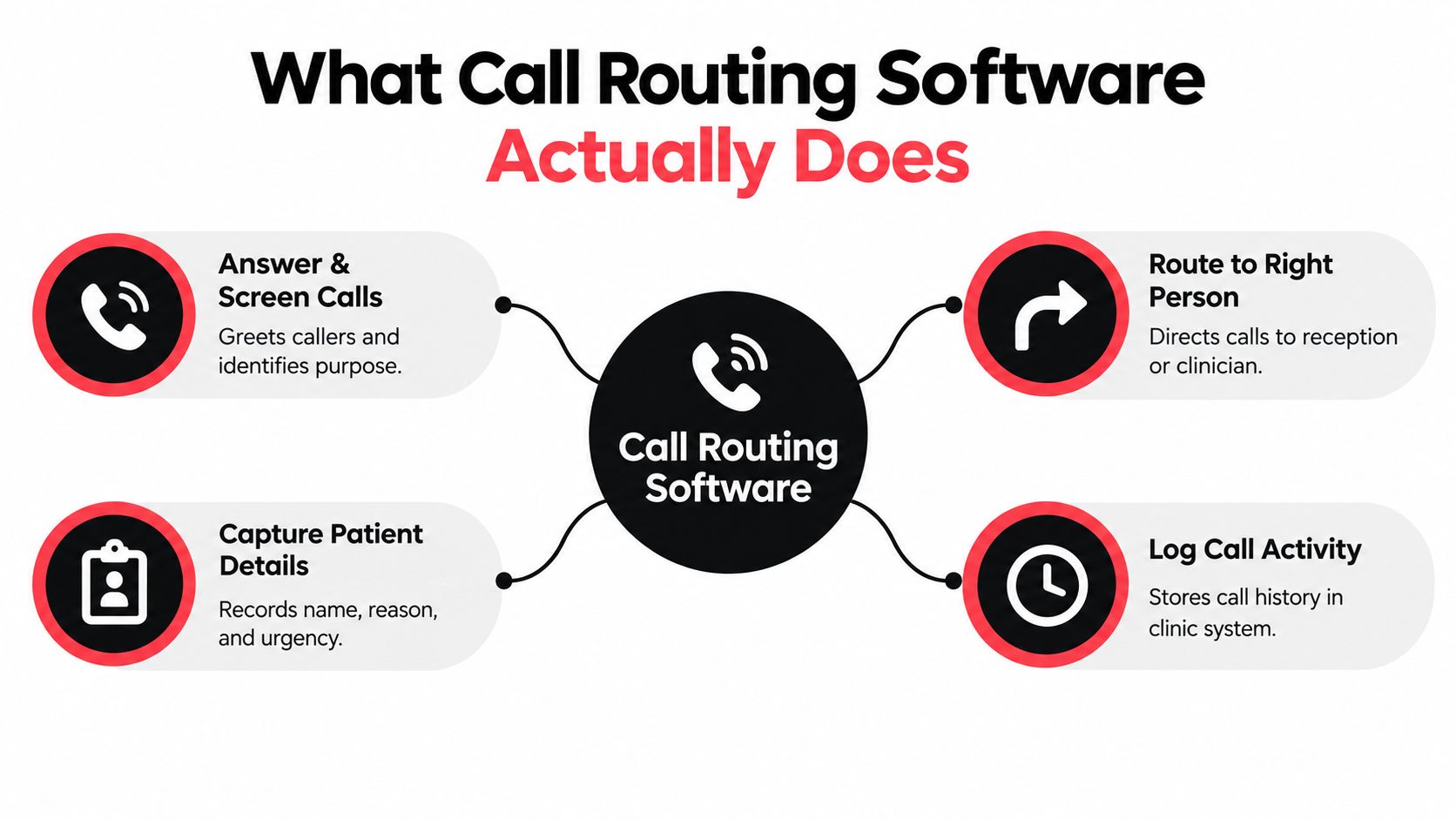
At clinic level, call routing software is a rule engine. It decides where a call goes, when it should move, and who should handle it.
The three decisions every call needs
First, where does the call go? That might be the front desk, a practitioner's line, an overflow queue, voicemail, or a configured human contact. Second, when should the rule change? One path may apply during staffed hours, another after hours, and another during lunch breaks. Third, who handles the call? That could be reception, an AI receptionist for administrative calls, or a human fallback when the topic is complex.
Australian telecom planning was built around the same logic. The national Community Telephone Plan formally incorporated automatic alternative routing by 1960, with subscriber dialling, a closed numbering system of up to nine digits, and register-controlled high-speed switching across as many as nine links in tandem (Australian telecommunications planning record). The software is newer. The routing problem is not.
Forwarding sends one call to one destination. Routing evaluates conditions, applies fallback paths, and keeps service alive when the first choice is unavailable.
What a clinic should expect
A solo physio may only need a simple setup, one main number, admin-only capture, and a human handoff when a call becomes clinical. A multi-location group may need routing by location, team, or practitioner. The software should fit the clinic's structure, not push the clinic into a generic call-centre model.
The practical test is simple. If your current phone setup cannot distinguish open hours from after hours, admin from clinical, or a busy desk from an available desk, it is just forwarding with better branding.
Skills-Based, Overflow, Time-Based and After-Hours Routing Compared
Each routing style solves a different problem, and each fails in a different way when misapplied. Choose the wrong one, and the phone system still runs, just badly.
What each approach is actually for
Skills-based routing sends the caller to the right person or service type. Use it for clear categories such as a post-op question, a new-patient booking, or a location-specific request. If the rules are sloppy, callers land on the wrong desk and staff spend time fixing avoidable transfers.
Overflow routing is the pressure valve. It shifts calls when reception is already busy, instead of letting the line ring out or dumping callers into voicemail. Use it as backup, not as cover for chronic understaffing. If you rely on it to mask a workload problem, you just move the bottleneck elsewhere.
Time-based routing follows the clock. It fits lunch breaks, split shifts, public holidays, and different clinic days. Bad scheduling sends callers to the wrong place at the wrong time and makes the clinic look disorganised.
After-hours routing is the boundary tool. It should capture non-urgent details, offer a callback path, and avoid pretending to replace a clinician. Used well, it protects staff time. Used badly, it traps callers in a loop when they need a person.
Coverage matters. Staff interruption also has a cost. Set the balance directly in your routing rules, then revisit it each quarter as call volumes change.
The clinic decision should stay grounded in administrative boundaries, privacy, and consent. Route booking, billing, and location questions where staff can handle them. Keep clinical questions out of automation unless the system is only capturing a message for later review.
Matching Routing Strategies to Real Clinic Scenarios
Some clinics need full coverage. Others need overflow only. Some need to stay reachable without pretending they're open around the clock. The right answer depends on staffing, call shape, and whether someone can safely receive a callback task.
| Clinic profile | Primary routing strategy | Secondary routing strategy | Key risk to manage |
|---|---|---|---|
| Solo physiotherapist on Cliniko | After-hours capture | Overflow routing | Don't force clinical questions through automation |
| Two-practitioner chiropractic clinic on Splose | Overflow routing | Skills-based routing | Make sure booking changes still reach the right person |
| Multi-location osteopathy group | Skills-based routing | Time-based routing | Keep location and practitioner rules clean |
| After-hours-heavy podiatry practice | After-hours capture | Time-based routing | Avoid overpromising immediate human response |
A solo physio usually benefits from bounded admin capture first, not from aggressive full coverage. A two-practitioner clinic can get real value from overflow, because the desk may only need backup when both clinicians are busy. Multi-location groups usually need the most structure, since the wrong call landing in the wrong branch creates friction immediately. An after-hours-heavy podiatry practice should focus on clear capture and next-day handoff, not on making software imitate a clinician.
The key pattern is this, one strategy is rarely enough. Most clinics should pilot two: one for staffed hours and one for after-hours.
For a deeper look at how a clinic-facing answering workflow is structured, the most useful comparison is a practical clinic answering service model. It shows why the phone system should behave like workload governance, not just a faster voicemail.
What to do with your own clinic
If you're a solo practice, start with after-hours capture and overflow. If you're a small team with front-desk pressure, start with overflow and time-based rules. If you're multi-site, lead with skills-based routing and build the rest around it.
Don't buy a routing setup because it promises “always on”. Buy the one that matches how your team works.
Why Bounded Administrative Routing Beats Full Automation for Clinics
A clinic phone line should protect the admin team first. Full automation tries to handle every caller the same way, and that is the wrong standard for allied health. Bounded administrative routing keeps software inside the tasks it can handle safely, while human staff stay in charge of anything that crosses into clinical judgment.
Keep automation inside the admin lane
The Australian health-AI review flags unresolved risks around consent, accountability, data ownership, disclosure, human involvement, and re-identification, and it states that the Privacy Act 1988 and Australian Privacy Principles apply when AI systems train, test, or operate in healthcare (health AI review). That is enough reason to keep routing narrow.
Use software for approved FAQs, booking details, and routine scheduling. Keep diagnosis, triage, treatment advice, and symptom interpretation out of scope. The platform should verify identity before changing a booking or record, and it should transfer the caller to a human when asked.
For a worked example of an AI receptionist kept inside administrative boundaries, see the AI receptionist for clinics overview.
Privacy is not an optional extra
The OAIC treats health information collected during a health service as sensitive information under the Privacy Act 1988. If a routing platform stores call summaries, caller identifiers, booking details, or recordings, the clinic needs controls for tenant separation, role-based access, audit logs, encryption, third-party access, breach procedures, and retention or deletion (OAIC health privacy guidance).
Ask whether the platform can record safely, restrict access by role, and delete on schedule, not merely whether it can record.
Approved scripts are safer than improvisation. A good routing system should repeat clinic policy, not invent it.
Full automation still has a place, but only inside a narrow scope with clear escalation and written logs that a human can review later. If the system cannot do that, it is not ready for clinic use.
Governance Controls Every Clinic Should Require Before Turning It On
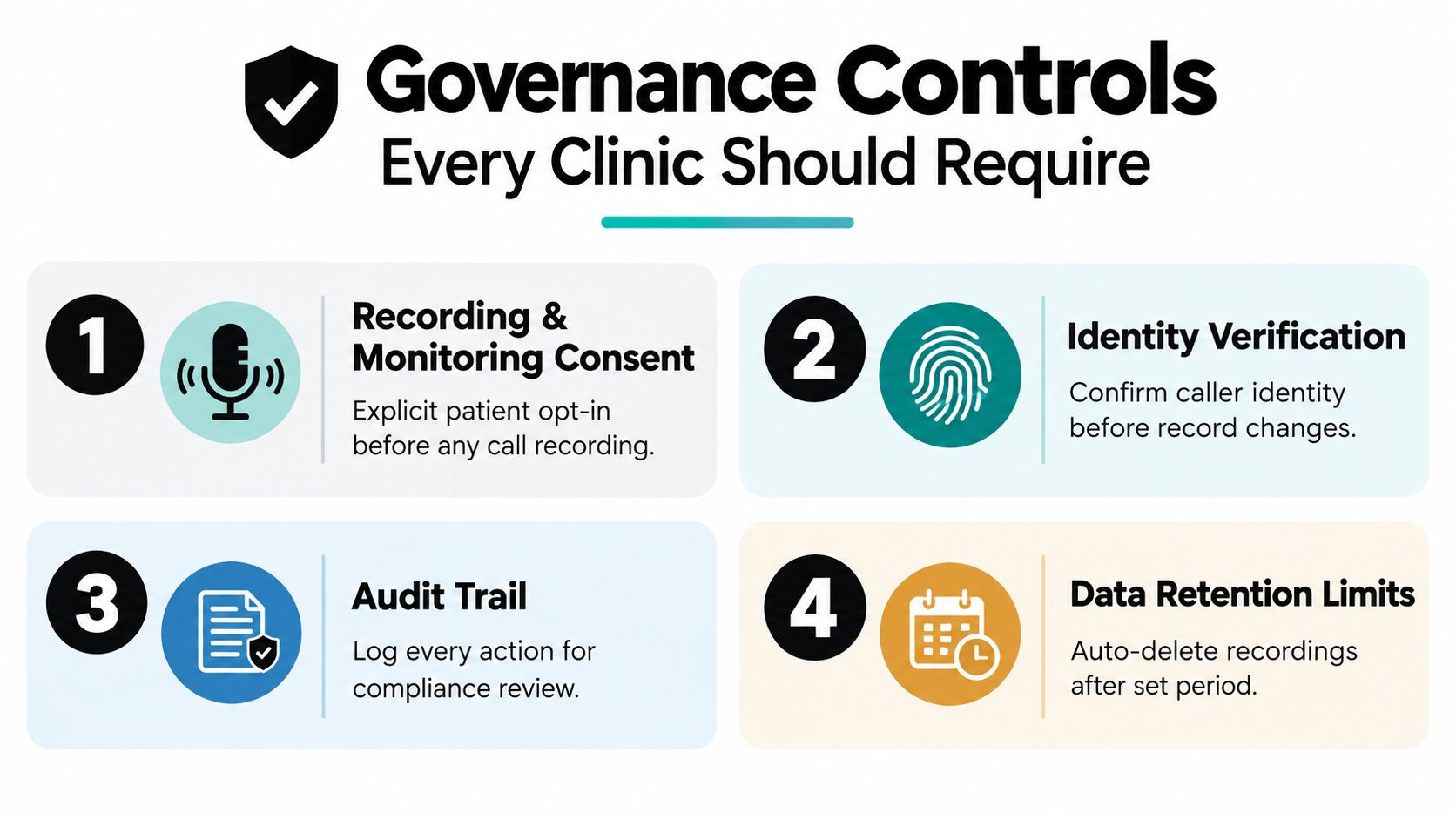
A vendor demo is where a lot of clinics get dazzled and forget to ask the hard questions. Don't. Four controls matter more than any pitch about speed or AI.
The controls that should be non-negotiable
Recording and monitoring consent comes first. OAIC guidance says recording a telephone consultation without informing the patient can be unlawful under the Telecommunications (Interception) Act 1979 and relevant listening-devices laws, and callers must be told at the beginning of the conversation and given a chance to end the call or stop recording (OAIC collecting health information guidance). Test every route, main line, overflow, after-hours, voicemail, warm transfer, and callback, to make sure the disclosure appears before capture begins.
Identity verification is the most important guardrail for any system that can touch bookings or records. If the caller isn't properly verified before a change, the clinic has a privacy incident waiting to happen.
Audit trail matters because every booking, transfer, summary, and hand-off should be traceable. You want a written record the team can review, not a black box.
Data retention limits should be configurable by the clinic, not hard-coded by the vendor. Ask exactly how long summaries, recordings, and metadata are kept, and whether the clinic can delete them on schedule.
Questions to ask before signing
- Can consent survive a transfer? A caller who hears the disclosure on the first leg should not lose that status when the call moves from automation to a staff member.
- Can access be limited by role or location? Reception, clinicians, and managers should not all see the same data.
- Can you export the log for a single booking or transfer? If the answer is vague, keep walking.
- Can the clinic delete records at the end of the retention period? If not, the system owns your data more than you do.
The best clinic setups treat governance as part of the product, not as paperwork after launch. If a vendor can't show the controls in the demo, don't assume they exist in production.
Integration With Practice Software and Reception Services
Routing software is only useful if it can land the call where the work happens. In allied health, that means the booking logic has to line up with the practice system, the reception workflow, and the clinic's fallback rules.
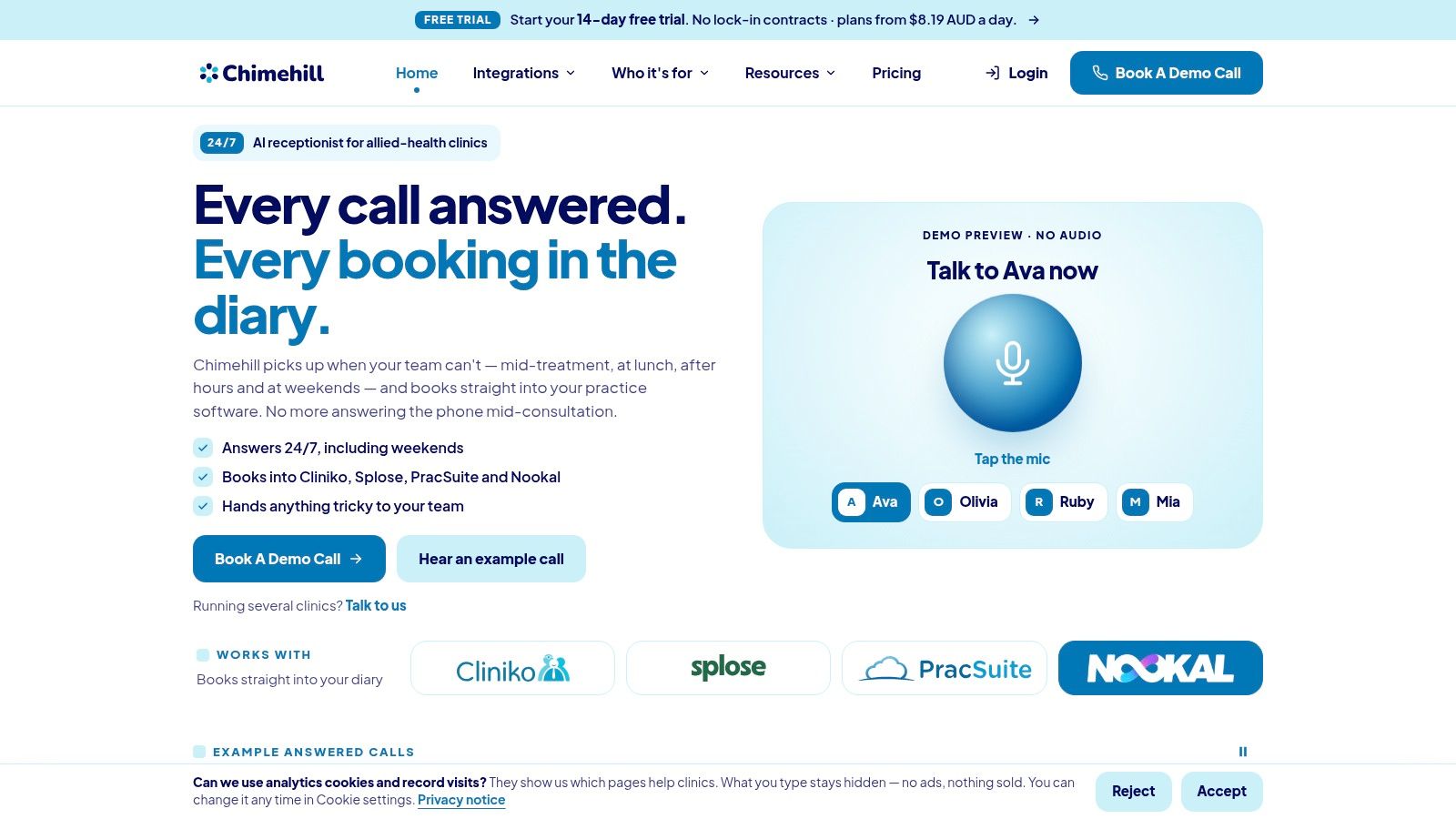
Live diary access is the line that matters
If a system only confirms an appointment after the practice software writes it, that's the right design. It reduces the classic double-booking problem and keeps the phone workflow tied to actual availability. Clinics using Cliniko, Splose, PracSuite, or Nookal should insist on that behaviour, not on a generic “we send a booking request” promise.
The practical point is simple. A booking that hasn't been written into the diary doesn't exist yet. Reception services that skip the re-check step invite conflict, especially when multiple people are editing the same schedule.
Pick the integration style that matches the clinic
A solo practice should care most about diary accuracy and clean handoff. A multi-location group needs support for different practitioners, different locations, and a fallback that doesn't scatter callers. Clinics that rely on an answering service should make sure the handoff doesn't strip context, because context loss is where missed follow-up starts.
If you want a working example of how that kind of setup is packaged for allied health, review the integration approach described on the integrations page. The useful lesson isn't the brand name. It's the operating model, administrative scope, live diary checks, and a written log of every call.
What to choose by clinic type
- Solo clinics: Use overflow or after-hours routing first, then add live booking only if the diary integration is stable.
- Small teams: Prioritise overflow plus time-based rules, then add a human fallback for non-admin calls.
- Multi-location groups: Start with skills-based routing and location-specific hand-offs.
- After-hours-heavy clinics: Focus on administrative capture, callback creation, and next-day follow-up.
A good integration doesn't make the clinic change how it works. It makes the phone line fit the workflow you already need.
Practical Questions Clinics Ask Before Switching
Pricing should be clear in AUD, with no lock-in contract, and the clinic should be able to trial the system before it replaces anything live. If the vendor won't let you test your own configuration, don't trust the deployment promise.
Migrate without changing the existing phone number if you can. That avoids confusing patients and keeps your published contact details stable. Track more than answer rate, too. Measure confirmed bookings, safe transfers, callback completion, abandoned calls, inappropriate clinical requests, and staff interruption hours, because answer rate alone hides bad routing decisions.
Practical rule: if the new setup increases interruptions or pushes clinical questions into automation, it's the wrong setup.
For clinics that are ready to replace missed-call chaos with bounded administrative routing, Chimehill is built around the exact problem discussed here. It handles allied-health calls, books into supported practice systems, keeps to admin boundaries, and gives your team a written log of every interaction. Visit Chimehill if you want to see what that looks like in a clinic workflow.