


You're treating a patient when the phone rings. You can't step away, the receptionist is already helping someone at the desk, and the caller wants to book an appointment. Your online calendar may look tidy, but it won't help if the caller hangs up, or if an automated booking creates a clash.
That's the practical test for physio practice management software: does it keep the clinic running when people are busy, systems need to exchange information, and a booking has to be right the first time? The features matter, but the handoffs between your diary, your team and your callers matter more.
Table of Contents
- Why PMS Choice Is Really an Operations Decision
- What Physio Practice Management Software Actually Does
- Diary and Booking Capabilities That Actually Matter
- Comparing Cliniko, Splose, PracSuite and Nookal
- Third-Party Integrations and Interoperability Standards
- Matching PMS Choice to Real Clinic Scenarios
- Recommendation Framework and Final Checklist
Why PMS Choice Is Really an Operations Decision
A clinic owner doesn't experience software as a list of features. You experience it as a full diary with a gap after a cancellation, a payment that needs reconciling, or a phone call that interrupts treatment. If your system makes those moments harder, the cost shows up in staff pressure, missed enquiries and avoidable rework.
The Australian physiotherapy sector has a long history of small, practice-led businesses. In 2009–10, physiotherapy businesses operated from 5,391 locations and generated $1.2 billion in income, according to Australian Bureau of Statistics industry data. The same data recorded 2,396 working proprietors and partners, 24.6% of people employed by businesses. Those figures are historical, but they help explain why the owner's day often crosses clinical care, reception and management.
That overlap is still relevant to software decisions. Allied-health survey evidence found that 54% of respondents worked primarily in practices with five or fewer people, while 98% used at least one digital solution and 78% used more than one, according to the Australian Government's Allied Health Digital Readiness Issues Paper. Small teams aren't deciding whether to use technology. They're deciding how to make the tools they already rely on work together without adding more administration.
The operational test: When a patient calls during treatment, can your setup capture the request, check the live diary, record a confirmed booking and alert staff if anything needs human attention?
That's why diary accuracy, billing workflows and integration behaviour should outrank a flashy dashboard. An online booking button doesn't solve phone access. A connection between systems isn't safe just because a vendor calls it an integration. If you're weighing up dedicated clinic call answering, assess how the service hands bookings and exceptions back to your team, not just whether it answers quickly.
What Physio Practice Management Software Actually Does
A practice-management system should connect the work that keeps a clinic operating: diary control, clinical records, and billing and claims. Each part depends on the others. A booking needs the right practitioner and appointment type, the visit must attach to the right patient record, and the billing process needs the correct service information.
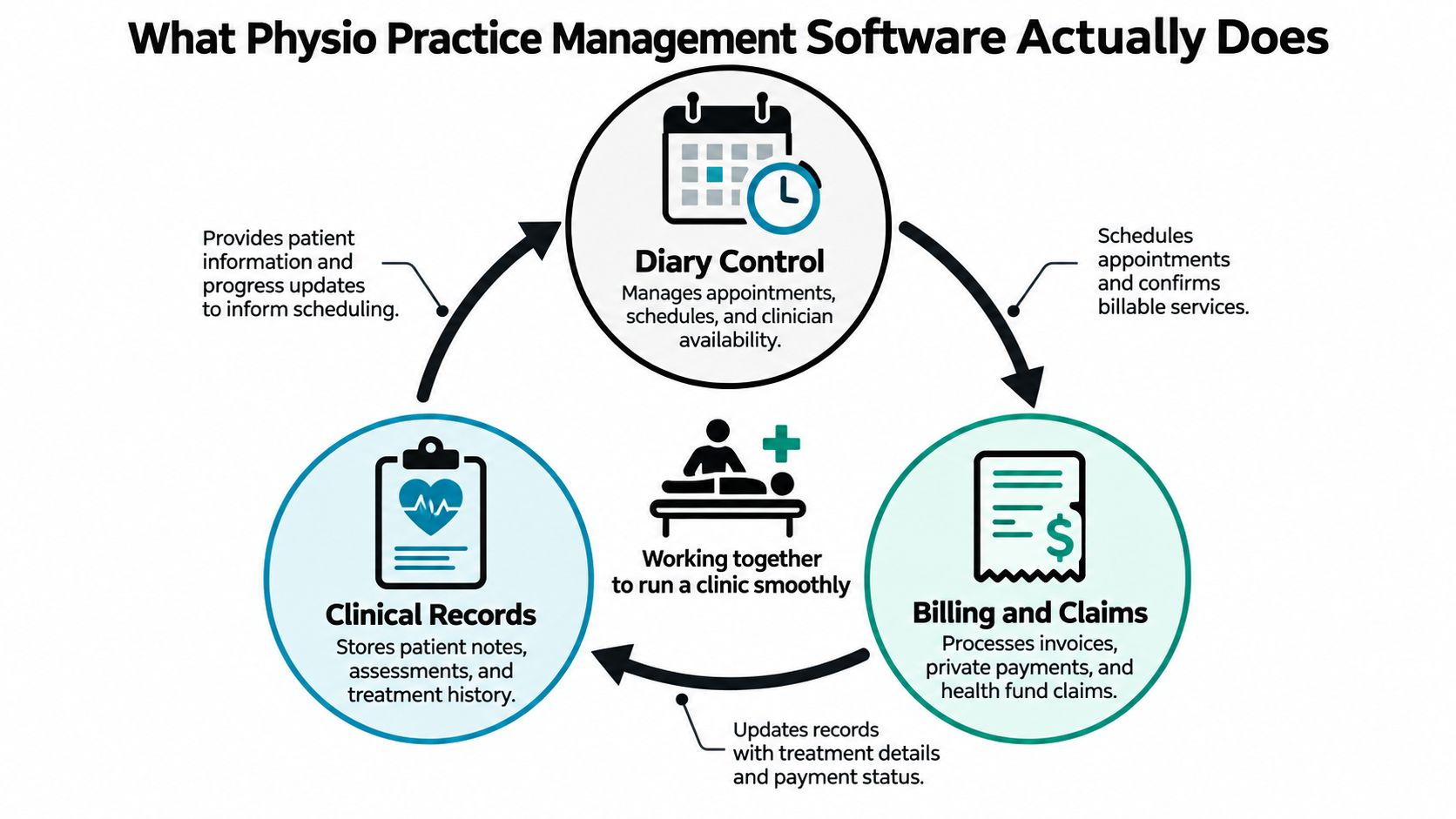
Think of the PMS as the system of record. It holds the authoritative appointment and patient details that staff use to manage the clinic. Payment processors, secure messaging services, telehealth platforms and recall tools may sit beside it. Online forms, chat and telephone automation can sit over the top, but they should work within clear permissions and send confirmed information back to the PMS.
That distinction matters. If an overlay tool tells a patient they're booked before the PMS saves the appointment, the patient and the clinic may have different versions of the truth. If a third-party tool can access clinical notes when it only needs calendar availability, the integration has more access than the task requires.
The Australian digital-readiness findings show that allied-health professionals already use multiple digital tools. The operational challenge is therefore coordination, not software adoption. Before adding a tool, decide which system owns each record, what information the new service needs, and how staff will see a failed action or an unanswered question.
Keep each layer accountable
A well-chosen PMS should give staff a dependable diary, accessible patient records and a clear path through payments or claims. It should also support the clinic's actual workflow, including practitioner availability, appointment lengths, locations and follow-up bookings.
Adjacent tools can fill gaps, but they shouldn't create competing records. Keep clinical notes in the clinical system, limit automation to approved administrative tasks, and make sure a human can take over when a request falls outside those boundaries.
Diary and Booking Capabilities That Actually Matter
A diary is only useful if it reflects what the clinic can deliver. In a single-practitioner room, that means the right duration and appointment type. In a multi-location practice, it also means the correct practitioner, site and availability rules. A calendar that looks live but updates late can create a double-booking precisely when the clinic is busiest.
The Australian Physiotherapy Association's practice-management software audit highlights interoperability as a persistent issue, including unreliable exchange between secure-messaging systems. Its practical lesson for booking workflows is simple: don't accept a general promise that products “integrate.” Ask what happens to each field and each action.
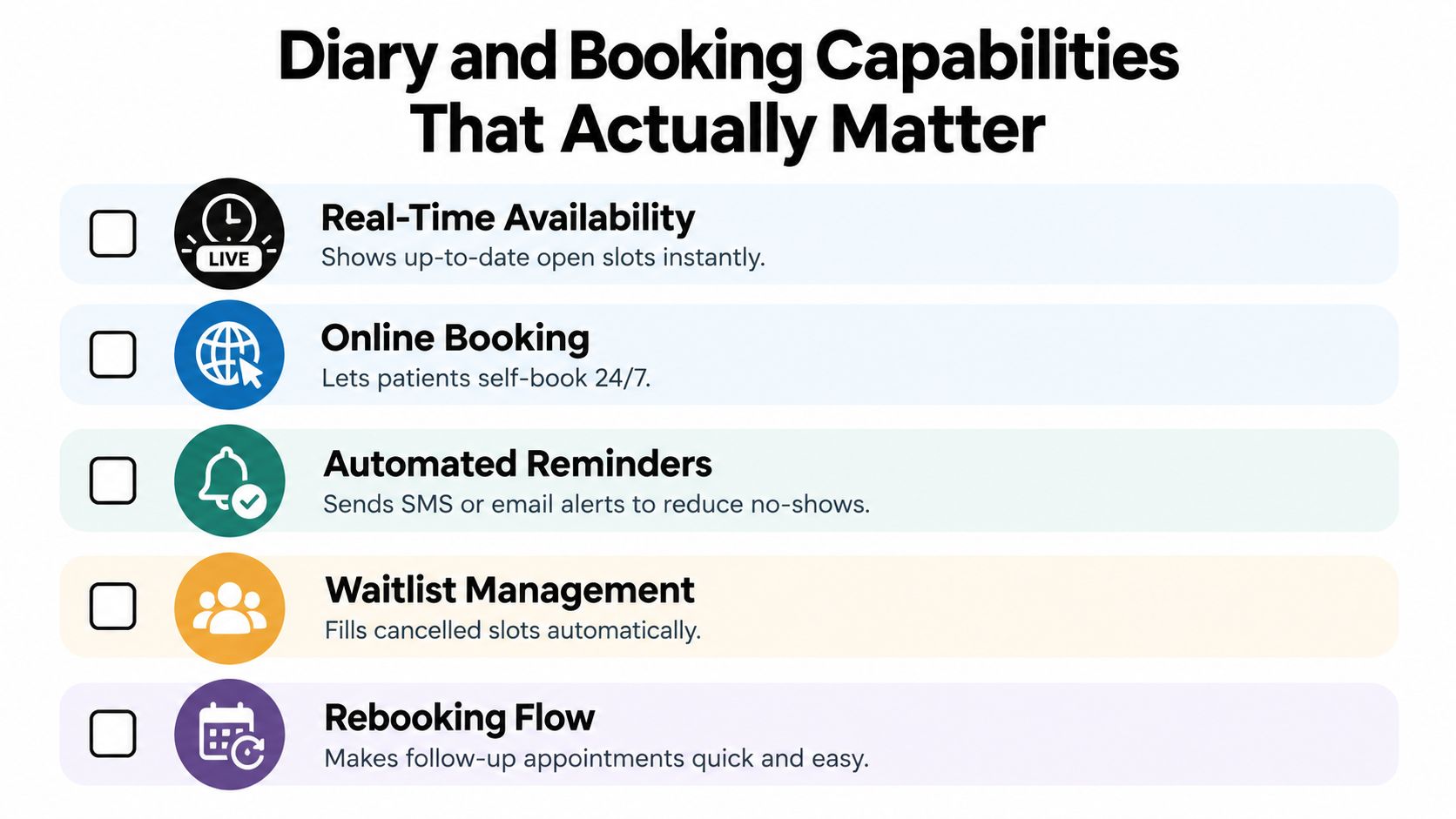
For any connection that creates or changes appointments, test this sequence:
- Read current availability: Check that the tool sees the same practitioner, location and appointment type as the PMS.
- Verify the caller: Confirm identity before changing an existing booking or patient record.
- Re-check before writing: Fetch availability again immediately before saving, particularly if the slot could have been taken since the first check.
- Confirm only after success: Tell the patient they're booked only after the PMS returns a successful save.
- Handle conflicts visibly: Test what happens if two callers request the final slot, and check whether staff can see the failed attempt and its fallback action.
Cancellation and rescheduling need the same discipline as new bookings. The tool must identify which booking the patient means, apply the clinic's rules, and leave a clear record of the result. If it can't verify the request or save the change, it should hand the matter to staff rather than guess.
Ask for a live demonstration, not a slide: Have the vendor show a booking, a failed save and a rescheduling request using your appointment types and locations. For clinics considering an AI receptionist for physiotherapy, the essential question is whether the caller hears a confirmation only after the diary has accepted the appointment.
Comparing Cliniko, Splose, PracSuite and Nookal
There isn't a universal winner. Cliniko, Splose, PracSuite and Nookal are all names Australian allied-health clinics may encounter, but a product's suitability depends on your workflows, staffing and integration requirements. Product capabilities and plan details can change, so treat the comparison below as a shortlist framework, not a substitute for a current vendor demonstration.
| Platform | Booking strength | Billing and payments | Integration model | Best-fit clinic |
|---|---|---|---|---|
| Cliniko | Assess calendar controls, online booking and practitioner or location rules against your diary | Verify your payment and claiming workflows, including the tasks staff still complete manually | Confirm documented behaviour for every external tool you plan to connect | Independent clinic seeking a straightforward operational starting point |
| Splose | Test appointment types, rescheduling and the patient booking experience using your own rules | Check that invoices, payments and claims match your clinic's actual process | Ask how third-party services read and write bookings and patient details | Allied-health practice that values fit with its existing team workflow |
| PracSuite | Demonstrate calendar handling across your practitioners, appointment lengths and sites | Map billing and payment steps from appointment to reconciliation | Verify what data can be exchanged, and what remains manual | Practice needing a closer assessment of operational controls and integrations |
| Nookal | Test availability and booking behaviour for the clinic's real schedule | Walk through the full payment and claiming journey with staff | Require clear documentation for each connection, including failure handling | Clinic comparing established practice workflows and connected tools |
Don't read “best fit” as a ranking. A solo physio without reception may prioritise a simple diary and a reliable way to manage calls. A group with several sites should focus on consistent location rules, permissions and reporting. A clinic already committed to a platform should first investigate whether the operational gap can be filled safely, rather than assuming migration will solve it.
Put each product through your own workflow
Ask each vendor to demonstrate the same scenarios: a new patient booking, a cancellation, a reschedule, a payment and a failed integration action. Use your appointment types and locations, not generic sample data. Have the person who handles reception test the workflow, because a smooth owner demo can hide steps that staff must repeat every day.
Compare the work left over after the software does its part. Does someone still need to re-enter patient details? Can staff tell whether a booking saved? What happens when the third-party tool is unavailable? These answers matter more than a feature name on a comparison sheet.
Third-Party Integrations and Interoperability Standards
Treat interoperability as a selection requirement, not a bonus. The APA audit calls attention to practical issues such as secure-messaging connections and the location of patient data and backups under Australian legal and privacy requirements. If a vendor can't explain how an integration behaves, assume you haven't yet established that it's safe for your workflow.
For each connection, ask the vendor to document how it handles practitioner calendars, appointment types, locations, patient identity, cancellations and rescheduling. Then ask what happens when a request fails, times out or conflicts with a change made by staff. “Connected” tells you very little about whether the right information moves in the right direction.
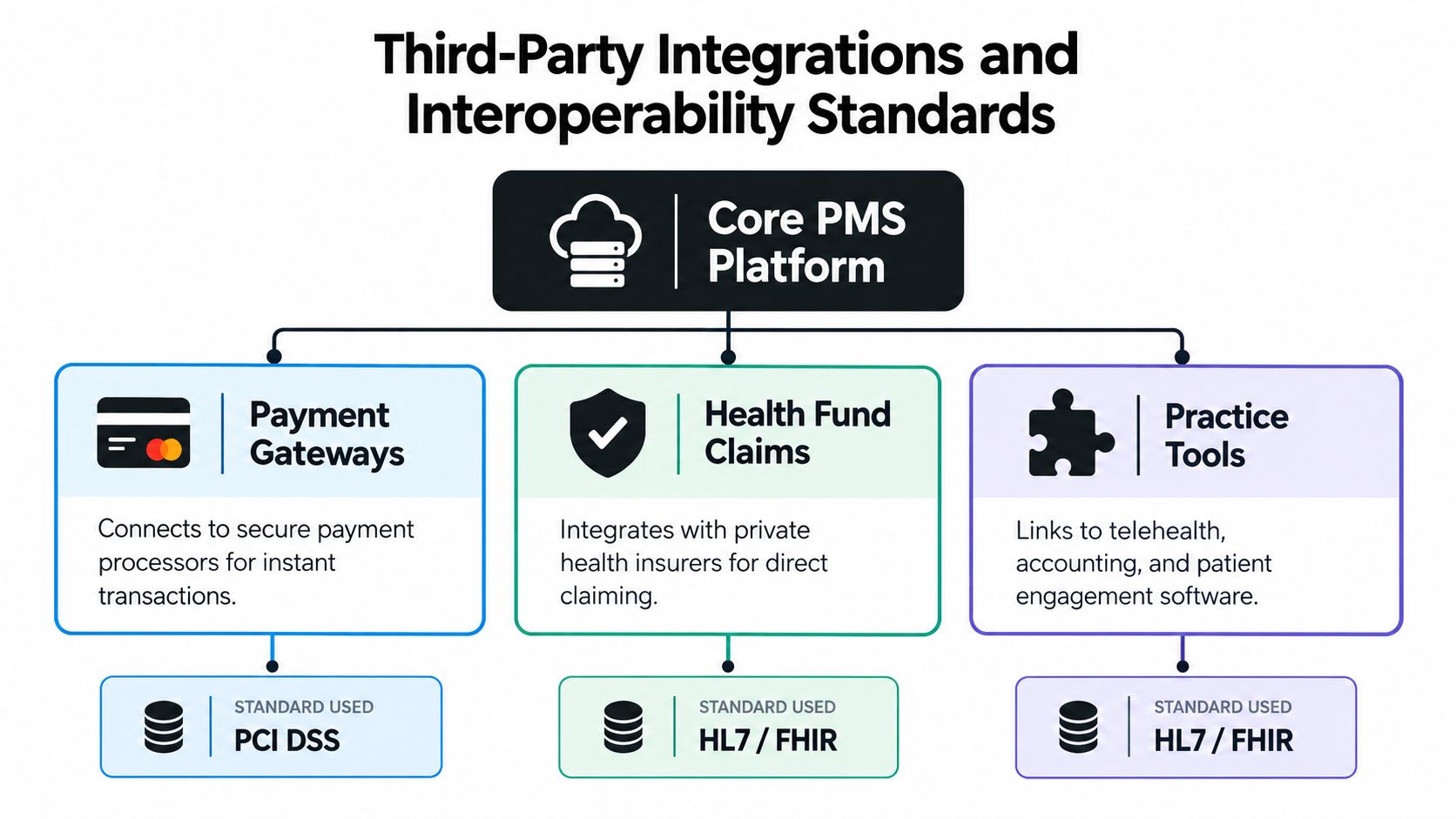
Separate clinical interoperability from administrative interoperability. An appointment service may need access to availability and permission to create or change bookings. It generally doesn't need access to clinical notes to perform that task. Apply data minimisation, restrict permissions by role, keep clinic records separated, and make sure your team can review an auditable history of administrative interactions.
The Australian Government's National Allied Health Digital Uplift Plan identifies priorities including simpler access to national digital tools, stronger security capability, My Health Record connectivity, conformant clinical-information systems and better use of Provider Connect Australia. Those priorities make future readiness worth checking, but don't confuse a stated roadmap with a working capability. Ask what the product supports now and what remains planned.
Make integration claims testable
A vendor's answer should name the data, the direction of travel and the failure behaviour. Ask for a test environment or a documented demonstration, then verify the result in the PMS itself. Where you're comparing external services, use the vendor's integration information as a starting point, but confirm the details against your own setup.
Matching PMS Choice to Real Clinic Scenarios
A solo physio, a chiropractic clinic and a multi-site group don't need the same software setup. Start with the work that currently falls through the cracks. Then decide whether the PMS can handle it directly or whether you need a carefully limited tool around it.
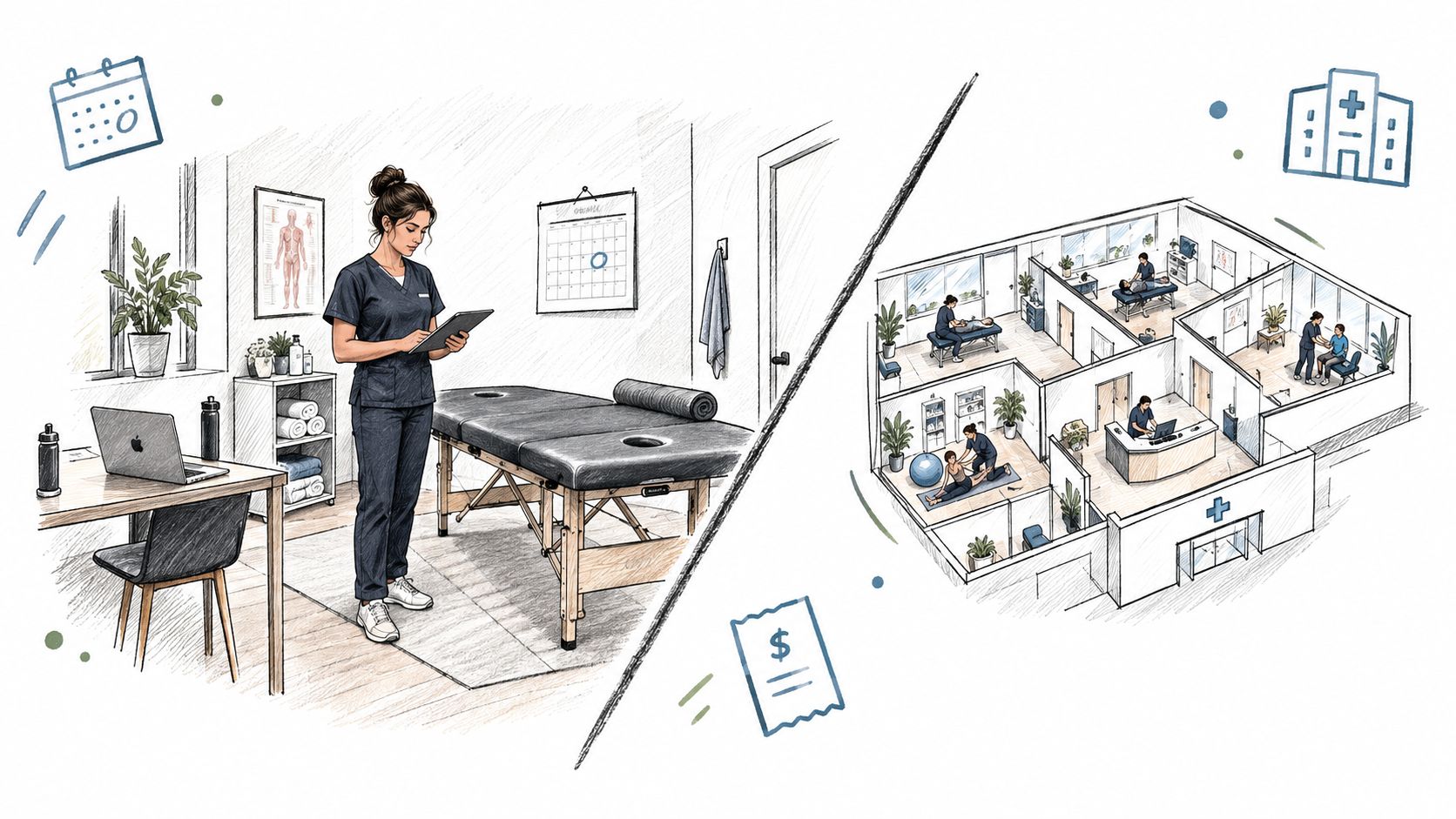
Solo practitioner without full-time reception: Shortlist the platform that makes your diary, records and billing easiest to manage. If calls interrupt treatment or go unanswered, add phone coverage only after confirming that it checks live availability and records bookings in the PMS. Keep clinical questions out of an administrative call workflow.
Chiropractic clinic on Splose or PracSuite: Don't switch systems just because another product has a longer feature list. Test your current setup's appointment rules, payment process and any tools you want to connect. If the PMS is working, a controlled phone or messaging layer may address the missing access without forcing a clinic-wide migration.
Osteopathy or podiatry clinic seeking after-hours coverage: Decide whether you need all-call coverage, overflow when staff are busy, or after-hours answering. Test common approved questions, booking restrictions, identity checks for changes, and the route for callers who need a person. A useful setup captures the administrative request without pretending to provide clinical advice.
A short demonstration should include a real booking workflow and the point at which a human takes over. The video below is useful context for thinking about how clinic phone access fits into day-to-day operations.
Multi-location group: Prioritise consistent practitioner, location and appointment-duration mappings. Test what happens when staff at one site change a slot while another channel is trying to book it. Your integration should make the final saved appointment visible in the PMS, and your event history should show the requested slot, final result and any fallback.
Recommendation Framework and Final Checklist
My recommendation is to choose the PMS that supports your clinic's actual diary, billing and records workflow, then add automation only where it fills a clear operational gap. Don't select software because it claims to do everything. A narrowly scoped, well-governed process is easier to supervise than a broad one that reaches into clinical decisions.
| Clinic profile | PMS starting point | Coverage approach |
|---|---|---|
| Solo practitioner | Compare Cliniko, Splose, PracSuite and Nookal using your own booking and billing tasks | Start with overflow or after-hours if calls disrupt treatment |
| Small allied-health team | Favour the platform that staff can operate consistently across diary, records and payments | Add call coverage if routine enquiries compete with reception duties |
| Clinic with multiple sites | Choose based on tested location rules, permissions and reliable calendar behaviour | Require shared safeguards and clear escalation across sites |
| Practice already using a suitable PMS | Keep the existing system unless a demonstrated workflow problem justifies migration | Integrate a limited administrative layer and verify every write |
Before signing, work through this checklist:
- Booking integrity: Does the system re-check availability before saving, and confirm only after a successful write?
- Identity and permissions: Can the tool verify callers before changing a booking, and access only the information required?
- Integration evidence: Are calendars, locations, appointment types, cancellations and rescheduling documented and testable?
- Operational transparency: Can staff review event logs, call summaries, failed actions and human handoffs?
- Privacy controls: Can you confirm tenant separation, data retention and deletion arrangements, and vendor exit options?
- Human fallback: Can callers reach a person or leave a callback task when the request falls outside approved administrative boundaries?
Walk away from any demo that can't show what happens when a booking fails. The question vendors often avoid is also the one you should ask first: When does the caller hear “you're booked,” and what evidence confirms the PMS saved it?
Chimehill answers allied-health clinic calls around the clock, books into supported systems including Cliniko, Splose, PracSuite and Nookal, and hands complex matters to a clinic-configured human contact. If phone access is the gap in your current setup, visit Chimehill to see how its logged, administrative-only call handling could fit your clinic.